

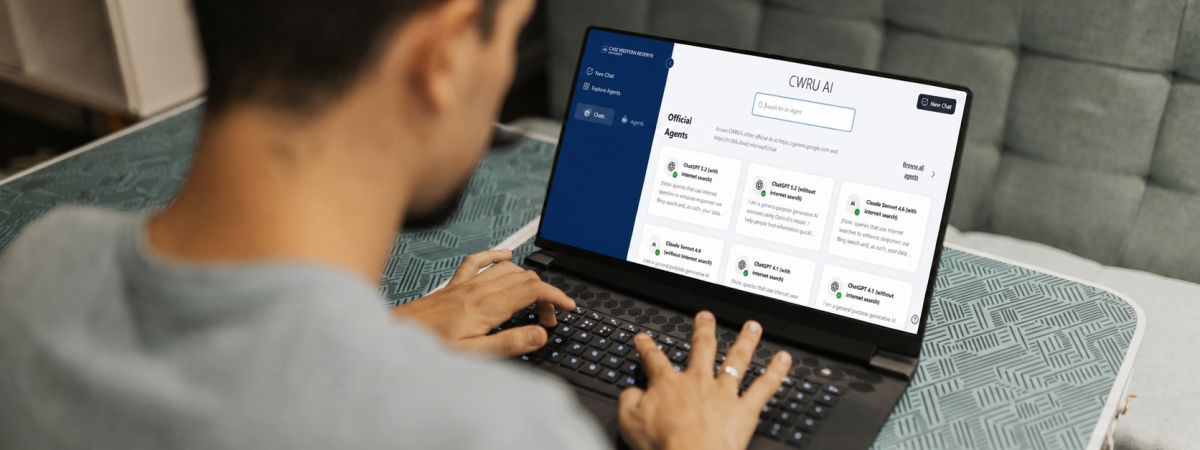
Developing fluency in artificial intelligence (AI) is essential to academic success, workforce readiness, and leadership in a rapidly changing world.
To expand equitable access and AI literacy, Case Western Reserve University has compiled the following resources to bring together trusted tools, training, guidance, and support from Kelvin Smith Library, the Teaching and Learning Technologies (TLT) team, the University Center for Innovation in Teaching and Education (UCITE), University Technology ([U]Tech), and our partnerships with Google and Microsoft—helping the campus community use AI responsibly, confidently, and effectively.
Trainings

Explore AI learning opportunities designed for the Case Western Reserve University community—whether you are beginning your AI journey, enhancing your teaching or work, or building advanced technical and professional skills.
AI Tools & Platforms
When you utilize CWRU’s enterprise-licensed AI tools, your prompts and research data are protected by strict contractual and technical firewalls that prevent them from being used to train public models. Your intellectual property remains your own—so our community can innovate boldly while protecting privacy.
| CWRU AI Playground | CWRU AI Portal | Scite Research Assistant | Spartan Answers | Adobe Express | AI Cloud Services | Gemini Enterprise | Gemini Pro | Gemini Notebook | GitHub Enterprise Copilot | MagicSchool | Microsoft 365 Copilot | Microsoft Copilot | Playlab | Zoom AI Companion | |
|---|---|---|---|---|---|---|---|---|---|---|---|---|---|---|---|
| Platform Access | CWRU AI Portal | Scite AI Research Assistant through KSL | Spartan Answers Chatbot | Adobe Express Website | AI Information on [U]Tech's Website | Access Gemini Enterprise | Gemini Pro Information | Gemini Notebook | Available AI Paid Services | MagicSchool Website | Available AI Paid Services | Microsoft Copilot Website | Playlab Website | Enable Zoom AI Companion | |
| Target User |
|
|
|
|
|
|
|
|
|
|
|
|
|
|
|
| Description | Space for faculty and staff to explore AI apps, test use cases, and connect with AI Help Desk support. | Secure internal AI portal with access to multiple models, saved chats, file uploads, and a prompt library. | AI-supported literature review and citation-context tool available through KSL and OpenAthens. | Internal chatbot for CWRU information with source-backed responses and support guidance. | Web-based design tool for photo, video, and PDF editing with AI features like text-to-image and generative fill. | Access to AWS, Azure, and GCP for advanced AI services, model APIs, Claude Code billing, and cloud credit opportunities. | CWRU's secure enterprise AI environment for working across institutional information and connected tools. Supports AI-assisted research, writing and analysis, enterprise search, workflow automation, and the creation and use of AI agents. | Enhanced Gemini access for eligible CWRU users, with higher usage limits and advanced AI capabilities for research, writing, analysis, content creation, and professional workflows. | Source-grounded AI research and learning workspace that uses documents, webpages, Google Drive files, videos, and other sources to generate summaries, answers, study materials, audio overviews, and other artifacts. | Optional GitHub Enterprise add-on that uses generative AI to support coding workflows and includes access to OpenAI Codex and Claude Code models. | AI platform designed for educators and academic workflows, including lesson planning and classroom support. | AI assistant integrated with Microsoft 365 for writing, summarizing, Excel analysis, PowerPoint creation, research, and other workplace tasks. | Generative AI chatbot with web access and enterprise protections when signed in with university credentials. Also includes access to Anthropic Claude models. | Platform for building custom AI apps, tools, and classroom experiences. | Built-in Zoom AI features such as meeting summaries, catch-up tools, transcripts, and smart recording features. |
| Best Used For |
|
|
|
|
|
|
|
|
|
|
|
|
|
|
|
| Access Model | CWRU-provided | CWRU-provided | CWRU-provided | CWRU-provided | CWRU-provided | Usage-based / paid services | CWRU-provided | CWRU-provided for eligible users | Available with CWRU Google account | Optional paid CWRU service | Free tier + paid plans | Optional paid CWRU service | Available with CWRU account | Free tier + paid plans | CWRU-provided |
Practical Guides & How-Tos
- AI Services of Cloud Providers (AWS, Microsoft Azure, Google Cloud Platform)
- CWRU AI Portal Guide
- CWRU Generative AI Service Comparison Chart
- CWRU Premium Services (e.g., GitHub Enterprise Copilot)
- Gen AI Syllabus Statements
- GitHub Prompt Library for Education
- How to Craft a Prompt Guide
Learning & Literacy
- AI Research Guide: Using AI, Literacy, Research, Citation, Copyright & Ethics
- EAB Higher Education AI Resource Center
- LLMs & GenAI in Digital Scholarship (KSL Research Guide)
- Teaching and Learning with Gen AI
- The Risks of Using AI for Mental Health Support
- Unlocking Gen AI Safely & Responsibly
Research Assistance, Support & Services
- AI Consultation Request
- AI Help Desk
- AI Research Assistants
- NIST Manufacturing Technology Roadmapping Program
- [U]Tech AI Services