

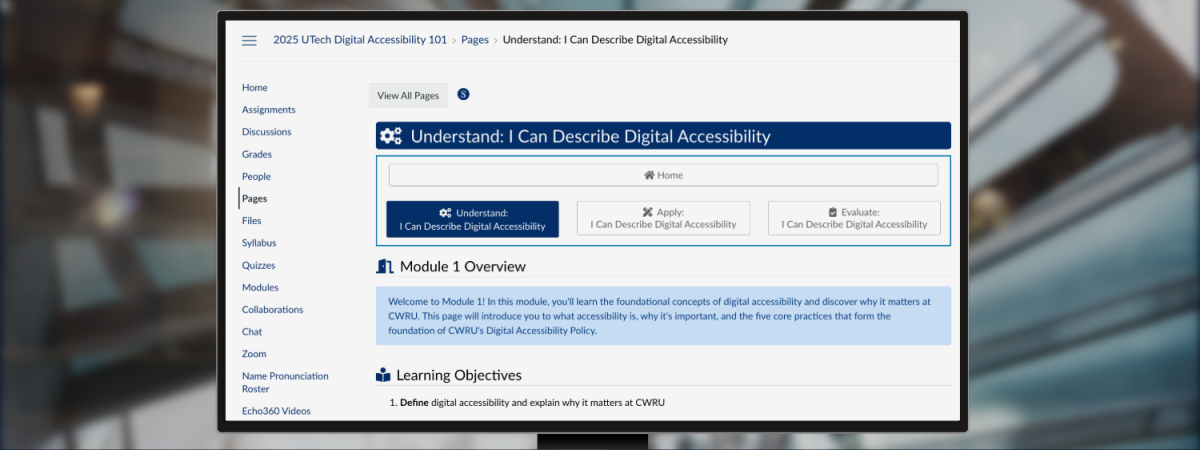
Enhance your skills and contribute to creating digital content that is easier to read, see, interact with, and understand with this one-hour [U]Tech Self-Paced Training course. This foundational course is tailored to promote the CWRU Digital Accessibility Policy.
How to Use the Course
Log in using your CWRU credentials for secure access to the course materials. Follow the structured learning path, progressing through each module at your own pace. Complete all quizzes and activities to demonstrate your mastery of the material. Upon successful completion, you'll be eligible to earn the [U]Tech Basic Digital Accessibility badge.
Join the Training
In this training, you will learn prepare accessible digital content such as agendas, Zoom meetings/webinars, presentations, purchasing accessible software/applications, and more!
Course Objectives
Those who complete this course can expect to be able to:
- Recognize the five core digital accessibility practices, captions/transcripts, headings, images, links, and color/contrast that mature our digital accessibility policy.
- Utilize built-in Zoom captioning and transcription features, such as auto-generated meeting captions and transcripts, to enhance meeting accessibility for all participants.
- Use best practices for pre-recorded video and audio to provide accurate transcripts that include the ability to pause, stop, and rewind.
- Apply accessible formatting best practices for color, structure, links, tables, and alternative text.
- Apply accessible document formatting best practices using built-in MS Office and Google Workspace tools.
- Apply accessible PowerPoint and Slides formatting best practices, such as reading order.
- Use manual accessibility tools to check for screen reader, color, and keyboard accessibility, and seizure risk
- Request and document the accessibility of third-party digital tools and services, ensuring procurement decisions align with university policies.
- Use the CWRU Generative AI tool prompts to remediate a graph, transcribe handwritten documents, and verify audio transcripts.
Training Support
For any questions or assistance, drop in during our weekly office hours or email TLTaccessibility@case.edu for personalized guidance. For other training opportunities, be sure to sign up for our monthly TLT Digital Accessibility Newsletter!